How to file GSTR-1 from your billing software (the easy way)
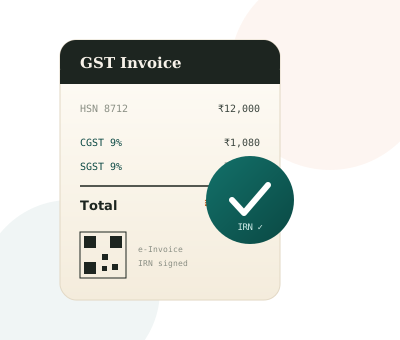
Filing GSTR-1 by hand — re-keying every invoice into the GST portal — is slow and exactly how mistakes creep in. If you already bill on software, the return is mostly done. Here's how to get it filed in minutes instead of an evening.
What GSTR-1 actually needs from you
GSTR-1 is the invoice-level statement of your sales for the period. It groups your bills into sections: B2B (sales to GSTIN-holders), B2C large (big inter-state consumer invoices), a B2C summary (everything else), credit/debit notes, and an HSN-wise summary. Every one of those comes straight out of the bills you already raised — so you shouldn't be typing anything twice.
Step 1 — Bill correctly all month, not at filing time
The return is only as clean as the bills behind it. Two habits make filing painless: put the right HSN code on every item, and capture the customer's GSTIN and state for B2B sales so the CGST/SGST-vs-IGST split is right. Fix these at the counter, not on the portal.
Step 2 — Generate the GSTR-1 for the period
In your software, pick the month (or quarter, if you're on QRMP) and generate the GSTR-1. Good software produces it pre-grouped into the exact B2B / B2C / CDNR / HSN sections the portal expects — no manual sorting.
Step 3 — Upload the JSON (or use the offline tool)
The GST portal accepts a JSON file in the official schema. Export it from your billing tool and upload it under Returns → GSTR-1 → Prepare offline, or import it into the GST Offline Tool. The portal validates and shows you a summary to confirm before you submit.
If your software exports the portal-ready JSON, "filing" becomes: download, upload, review, submit. The data entry already happened when you billed.
The errors that get filings rejected
- Invalid GSTIN on a B2B invoice — one wrong digit and that invoice fails validation.
- Wrong place of supply — charging CGST/SGST when it should be IGST (or vice-versa).
- Missing or wrong HSN in the HSN summary.
- Invoice number gaps or duplicates — the portal expects a consecutive series for the year.
Each of these is far easier to prevent at billing time than to chase down on filing day.
Don't forget: GSTR-1 must tie to GSTR-3B
The output tax in your GSTR-3B summary has to match the tax from the invoices in GSTR-1. When both are built from the same bills, they can't drift apart — which is the whole point of filing from your billing data instead of a spreadsheet.
How Pride POS does it
Pride POS builds a portal-ready GSTR-1 and a GSTR-3B summary with input tax credit from your actual invoices and purchases — correct HSN, correct tax split, sections pre-grouped — so filing is a download-and-upload, not a re-typing marathon. See how it works → or try it free for 5 days.